Frequently Asked Questions
Get to know the ProTas Joystick better through these frequently asked questions.
ProTas Joystick FAQ
· I already have a MagTube, do I need new cups? All ProTubeVR products using magnets use the same magnetic interfaces and are universally compatible. No matter what HMD you own, if you already have MagCups you want the ProTas Base product found here.
· Can I twist the ProTas (rotate the z axis)? Yes, the moving part is flexible, allowing it to rotate some distance safely, just don't go overboard.
· Can I use a second ProTas as a throttle? Yes, loosen the magnet retainer on the ProTas base to allow for forward and backward rotation. This allows use as a throttle.
· How do I mount in my setup to line up the ProTas with the joystick in game? ProTas works on many surfaces especially arm rests and sim rigs. Etsy has a lot of solid armrest hotas mounts that work well with ProTas. Desk mounts, speaker mounts, headset mounts; people have made use of all of these. You can attach it using Velcro straps or the reusable sticky pad found on the bottom. Refer to the Quick Start Guide for more information.
· What games does the ProTas work with? Refer to this reddit post and use it more of a mindset to have when looking at a potential game rather than a comprehensive list of every single compatible game in existence. This is also covered in the next page.
· The sticky pad won’t stay in place anymore, what do I do? The sticky pad is reusable. Simply rinse it down with water and let it dry and it will be good as new. We also offer replacement pads.
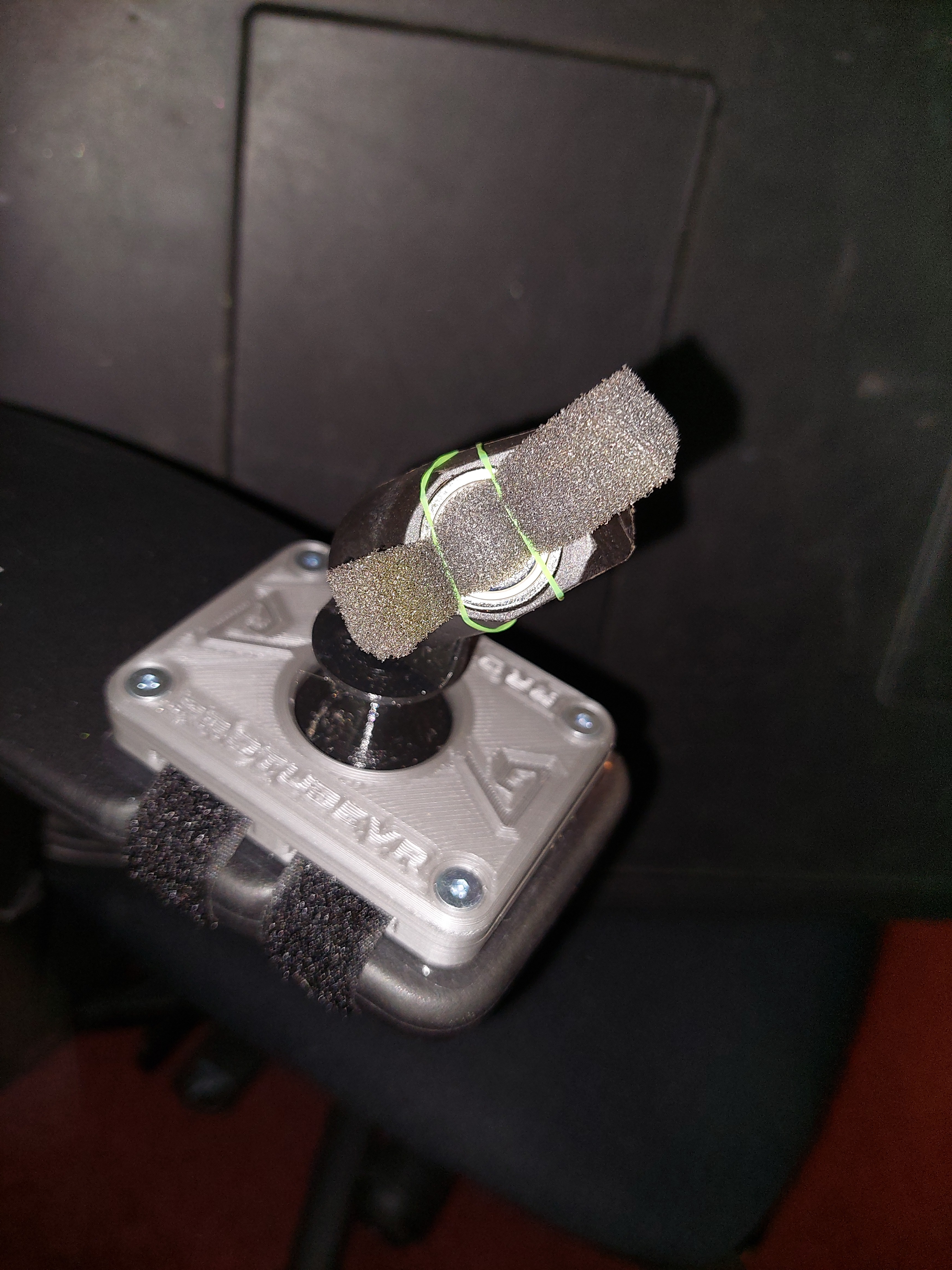
· The cup is difficult to detach from the ProTas how do I make it easier? There are a few ways to do this:
·
1. Loosen the magnet inside the cup or the bracket or both using the provided tiny allen key.
·
2. Apply something such as a piece of foam with a rubber band to weaken the connection.
·
3. Practice makes perfect. Because the bracket is attached to something that moves it requires a slightly different angle and amount of force to detach compared to the MagTube.
ProTas Joystick Compatible Titles
Below is a list of games that work with ProTas as confirmed by the community. Keep in mind any game can work with ProTas as long as these requirements are met:
-
The game lets you use your VR controllers
-
The game has you interact with cockpit controls using your VR controllers
With these requirements in mind, to easily find more games that are supported on Steam: browse games, and narrow by tag add VR & Flight, and under Narrow by VR Support select VR Supported (instead of VR only), and under Input select "Tracked Motion Controllers". Any game left visible in the search results should work! :smile: Keep in mind some games that work might not show up using these tags because not all support games are flying games (Vox Machinae for example). Have you played a game that isn't listed down below? Comment and it will be added to the list.
For simplicity, I'm only linking to the games' Steam pages. Some of these are available on other platforms (such as Ultrawings on Meta or PSVR). Disclaimer: this list is not comprehensive, and it is out of date. Use it more as a guideline for understanding what to look for in a game to know if it will work with the ProTas Joystick.
ProTas compatible titles:
- https://store.steampowered.com/app/1118070/1976__Back_to_midway/
- https://store.steampowered.com/app/837430/Flying_Aces__Navy_Pilot_Simulator/
- https://store.steampowered.com/app/862390/FlyInside_Flight_Simulator/
- https://store.steampowered.com/app/275850/No_Mans_Sky/
- https://store.steampowered.com/app/982700/Space_Battle_VR/
- https://store.steampowered.com/app/639130/Ultrawings/
- https://store.steampowered.com/app/334540/Vox_Machinae/
- https://store.steampowered.com/app/667970/VTOL_VR/